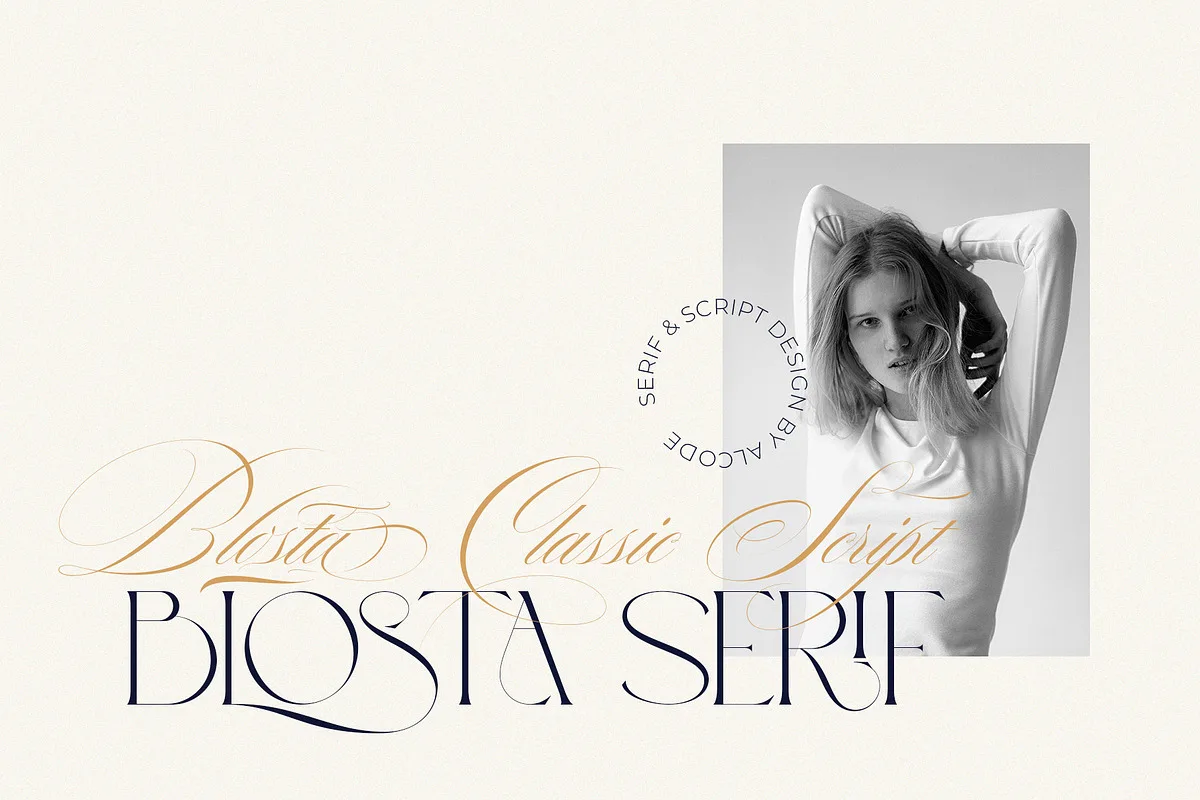
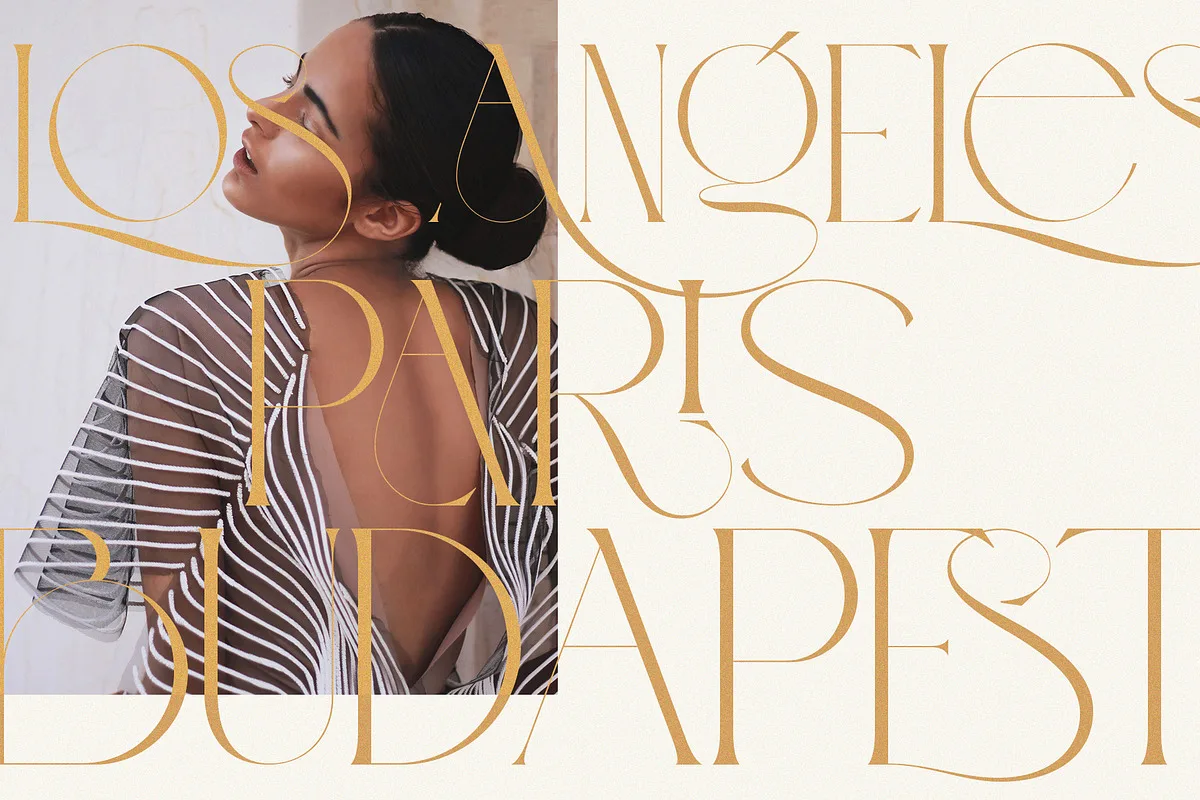
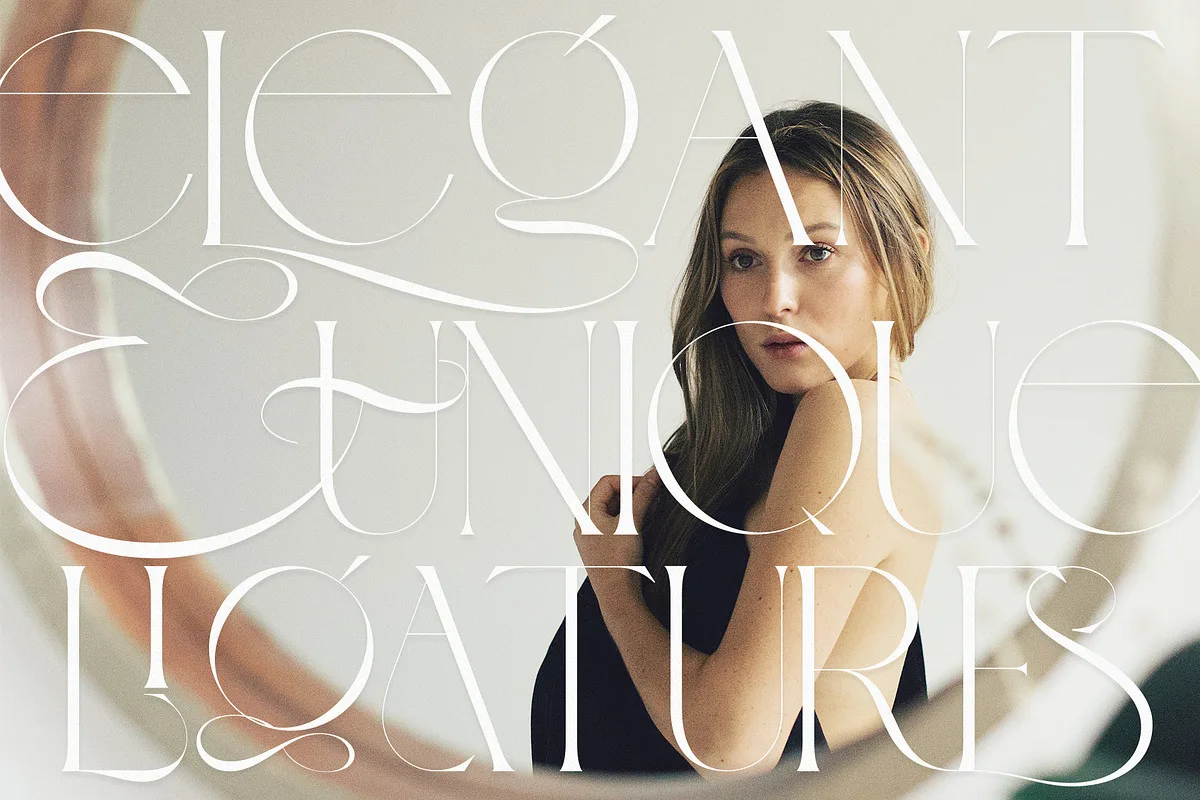
Blosta is a font duo from Alcode, the studio of Indonesian type designer Sukjana Almunandar. It was released in February 2021 and pairs two typefaces: Blosta Serif, a decorative high-contrast serif, and Blosta Script, a flowing calligraphy script. Both come with ligatures and special characters. They are designed to be used together for weddings, stationery, book covers, logos and other work that needs a formal, luxurious look.
Is Blosta free?
No. Blosta is a commercial font, and we could not find any free or demo version published by the designer. This is worth knowing because Alcode does release some fonts free for personal use on DaFont, including The Duality, Peaches, Fantera and Claristy, but Blosta is not one of them. It is sold only as a paid font on Creative Market, MyFonts, FontBundles and MasterBundles.
Some font aggregator sites still list “Blosta free download” or label it “free for personal use”. Those files do not come from an Alcode release. If you plan to use Blosta in anything you sell, publish or hand to a client, buy a licence from one of the stores above. A free file with no licence attached leaves you with no proof that you are allowed to use it.
Blosta Serif Regular vs Blosta Script Regular
Blosta has two fonts, each in a single weight. MyFonts lists them as Blosta Serif Regular and Blosta Script Regular, which is why those are the names you will see in searches.
- Blosta Serif is the decorative half: sharp high-contrast strokes and fine serifs. It works for names, headlines and short lines of text, and it is easy to read in uppercase.
- Blosta Script is the calligraphy half: connected, pen-style lettering with swashes. It is for accent words such as a first name on an invitation, “Thank you” on a card or a signature line on a logo. Keep it in lowercase or title case, because all caps break the connections between letters.
You do not have to buy both. Where you shop decides what you get:
| Store | What you get | Price (desktop) |
|---|---|---|
| Creative Market | The duo: Serif + Script, OTF and TTF | $40 |
| MyFonts | Each style sold separately, or both as a family package | $23 per style, $46 for both |
| MasterBundles / FontBundles | The duo: Serif + Script, OTF and TTF | Around $40 |
If you only need the script for invitation names, buying Blosta Script Regular on its own costs about half the price of the duo. If you want to pair the two styles, the Creative Market duo is the cheapest way to get both. Prices were checked at the time of writing and can change.
Licence
A standard desktop licence lets you install Blosta on your computer and use it in printed and static work: invitations, cards, packaging, logos, social media images and PDFs. It does not cover embedding the font in a website, an app or an ebook. Those uses need a webfont, app or e-pub licence, which Creative Market and MyFonts both sell separately.
How to pair Blosta Serif and Blosta Script
The duo works best when each font has one clear job. Use Blosta Script for one or two words, such as a name or a short phrase, set large. Put Blosta Serif around it in uppercase with generous letter-spacing for dates, places and secondary lines. For longer paragraphs, such as RSVP details or menu descriptions, add a plain serif or sans rather than stretching Blosta Serif across the whole page. Decorative serifs get tiring to read at small sizes.
The ligatures and special characters are OpenType features. To use them, you need an app that shows alternate glyphs, such as Illustrator, InDesign or Affinity, or you can copy them from Character Map on Windows or Font Book on Mac. Simpler editors will display the standard letters only.
Using Blosta in Canva
Canva’s built-in font library changes over time, so check first: open a design, click the font dropdown and type “blosta”. If it is not listed, you can upload it yourself. Uploading fonts needs a Canva Pro, Enterprise, Education or Nonprofit plan; the free plan doesn’t allow it. Go to Brand Kit → Fonts → Upload a font and upload the Serif and Script files separately. Canva accepts OTF, TTF and WOFF. If an upload is rejected, the usual cause is that the font file is not flagged as licensed for embedding, and that can’t be changed from Canva.
Frequently Asked Questions
Is Blosta font free to download?
No. Blosta is a commercial font by Alcode and has no free or demo edition from the designer. Alcode’s free-for-personal-use fonts on DaFont are other typefaces, not Blosta. You can buy it on Creative Market ($40 for the duo) or MyFonts ($23 per style).
What is Blosta Serif Regular?
It is the decorative serif half of the Blosta duo, under the name MyFonts uses for it. The other half is Blosta Script Regular, the calligraphy script. On MyFonts you can buy either style on its own.
Can I buy only Blosta Script?
Yes. MyFonts sells Blosta Script Regular and Blosta Serif Regular separately at $23 each. Creative Market, MasterBundles and FontBundles sell only the two-font duo.
Can I use Blosta in Canva?
Check Canva’s font dropdown first. If Blosta is not listed, you can upload it on a Canva Pro, Enterprise, Education or Nonprofit plan. Go to Brand Kit → Fonts → Upload a font and upload the Serif and Script files separately.